Backend & Database Developer · Web app
DragonGo
Campus navigation with schedule-aware routes and AI-assisted scheduling.
A campus navigation app combining schedule-aware route planning with AI-assisted scheduling. I contributed to the backend and database, integrating Firebase Authentication and synchronizing users’ personal schedules and account data.
In this case study 5 sections
Overview
DragonGo was built during Philly CodeFest at Drexel University’s College of Computing & Informatics. The hackathon theme was Building AI for Philly’s Future. The app is a campus navigation tool: an interactive map, routes based on a class schedule, and a guided campus tour for people who are new to campus. It was put together in the short time of the hackathon.
Team
- Sarah Hoang, Developer / Designer
- Viet Hung Huynh, Backend / Frontend
- Khiem Truong, Backend / AI Developer
My contribution
I worked on the backend and database layer of the application:
- Integrated Firebase Authentication so each student signs in with their own account.
- Modelled and synchronized users’ personal schedules and account data in Cloud Firestore, keeping per-user data consistent across sessions.
- Connected the authenticated identity to the schedule data that the route planner and the AI-assisted scheduling features read from.
How the pieces fit together
The product relationship at the centre of DragonGo is between four things: campus routes, personal schedules, authentication, and per-user data. Authentication identifies the student; the schedule describes where and when they need to be; Firestore stores that schedule against the account; and the route planner uses it to suggest where to go next.
On the demo build, schedule changes are saved to the signed-in account with Firebase. Map markers added for Drexel locations stay in sync across the maps in the app. An admin can edit those markers only with a security code.
Evidence
-
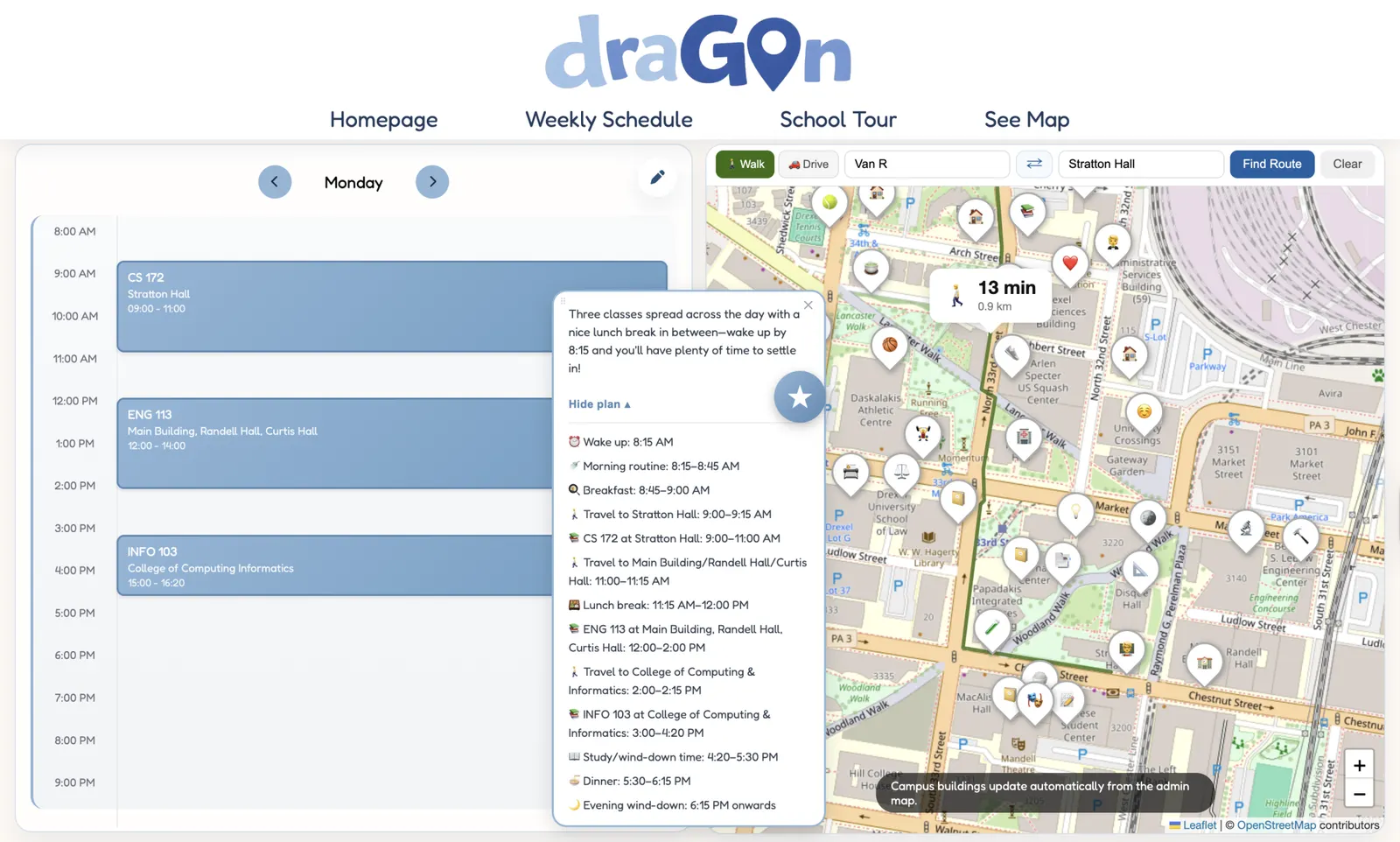
Schedule route planner. Routes follow the signed-in student’s classes. -
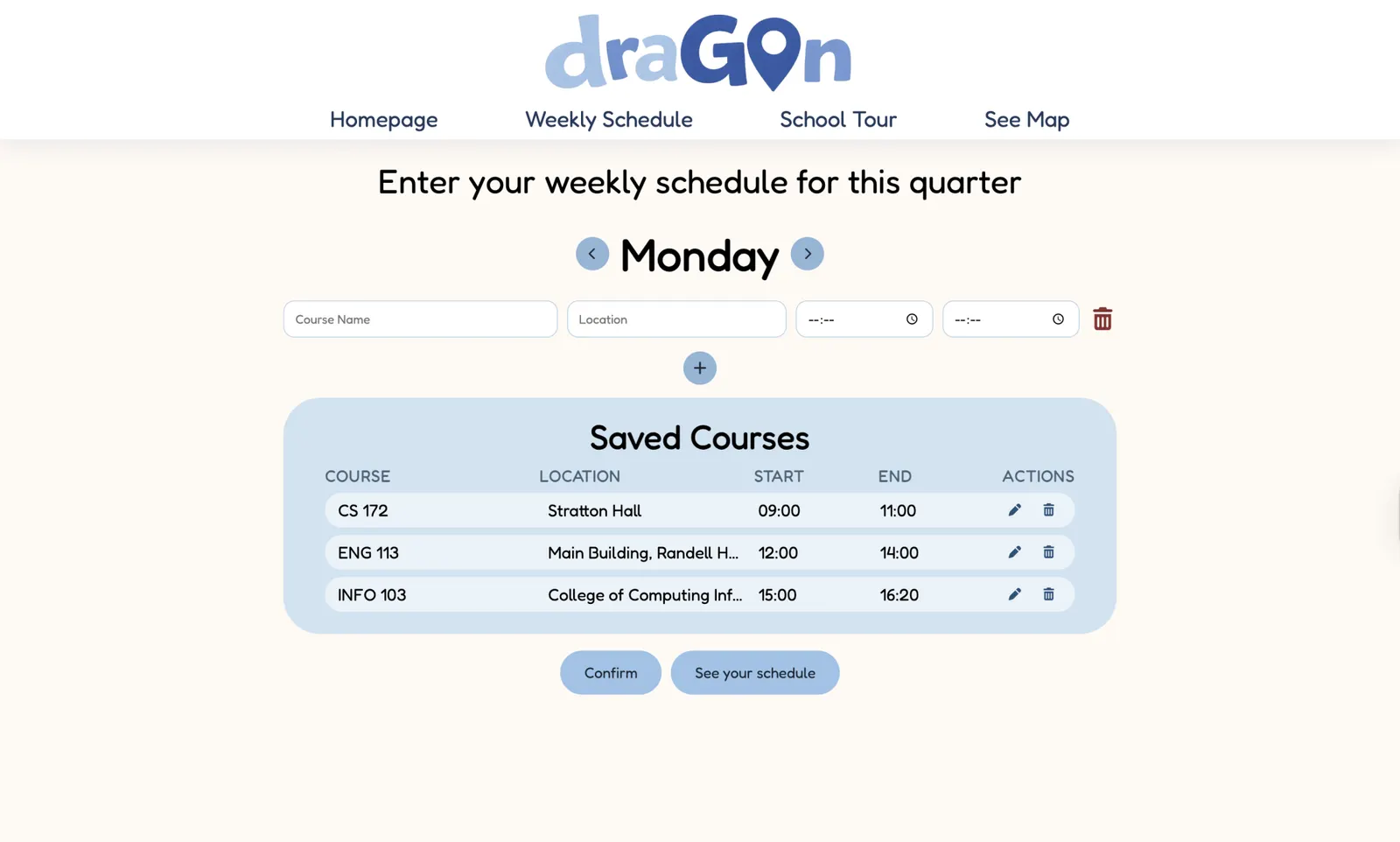
Adding a weekly schedule. Changes are stored on the signed-in account with Firebase. -
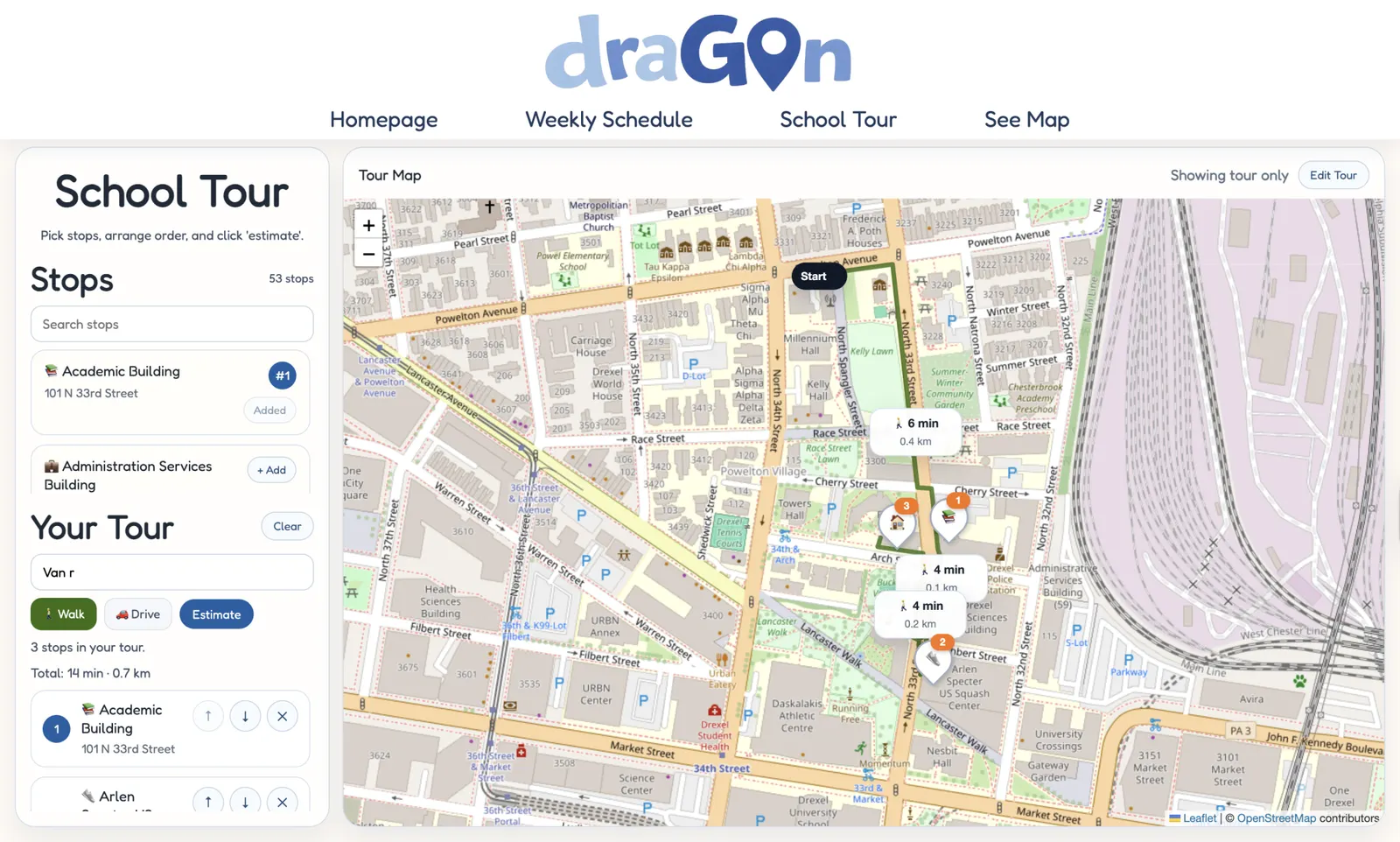
Guided campus tour for new students and visitors. -
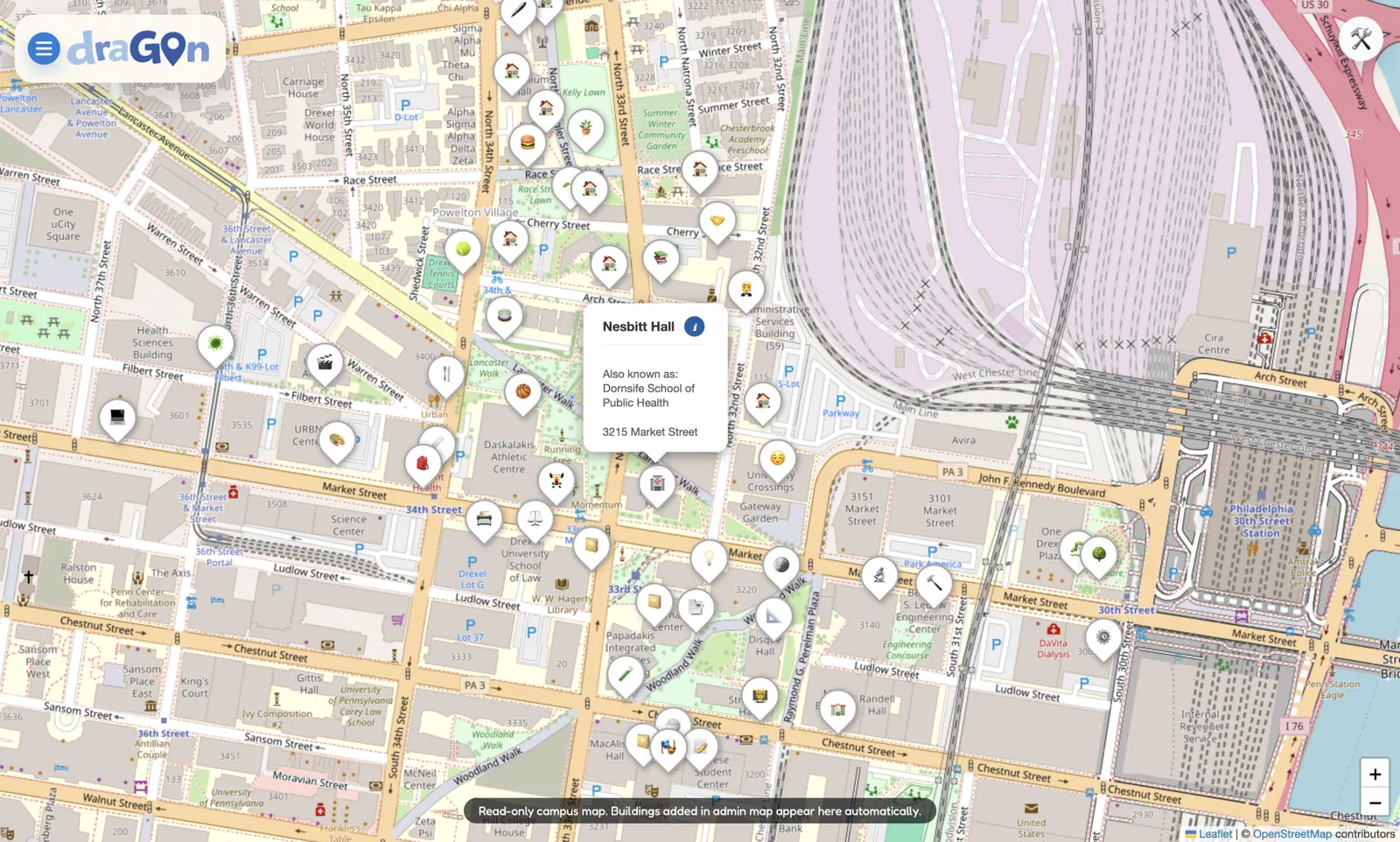
Shared campus map. Markers for Drexel locations stay in sync across the app. -
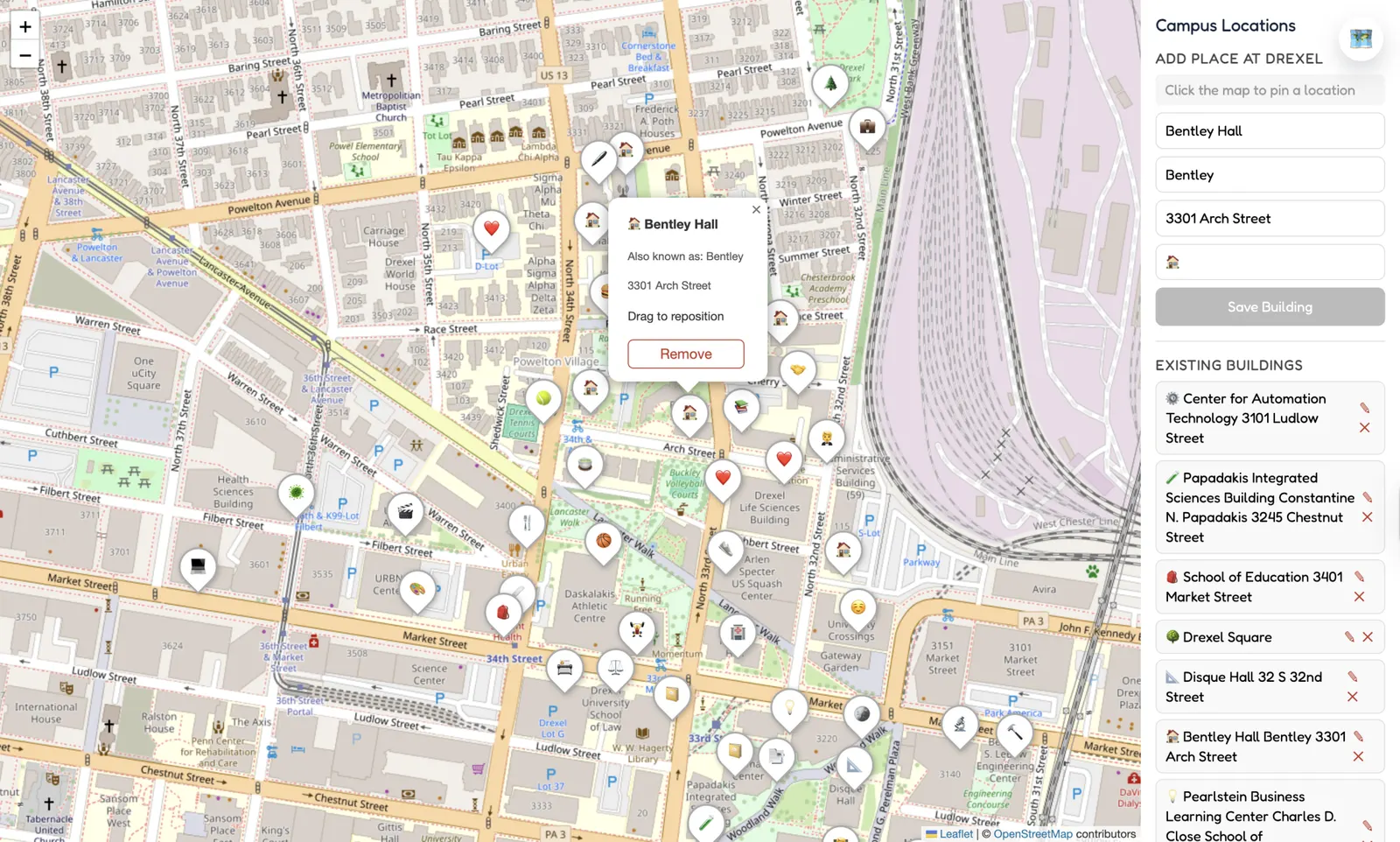
Admin map. Editing a marker requires a security code. -

The DragonGo wordmark.